Kroger W-2 Form: How Former Employees Can Access It
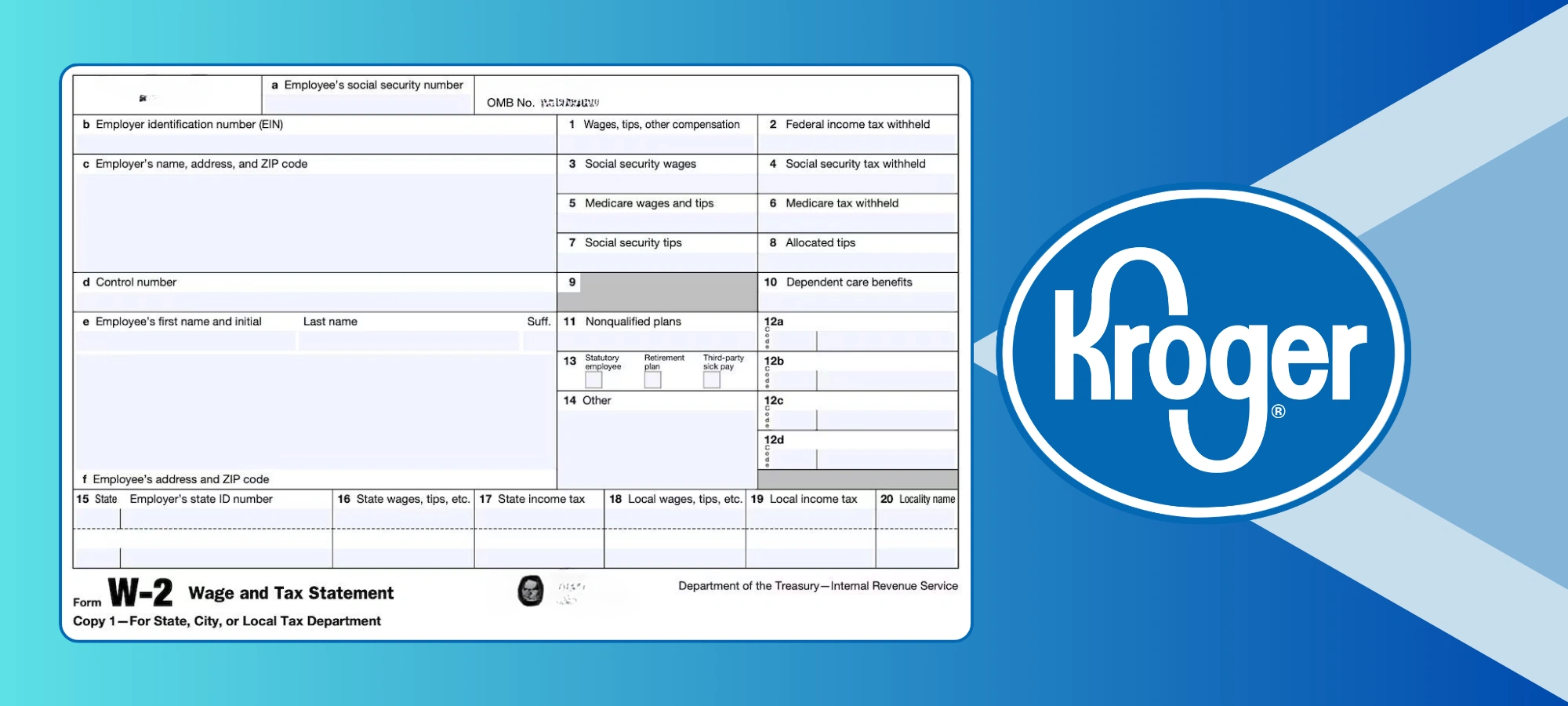
If you work at Kroger, one of the most important tax documents you will receive each year is your W-2 form. This form is essential for filing your federal and state tax returns, and it outlines exactly how much you earned and how much tax was withheld from your paychecks in the previous calendar year.
Understanding your W-2, knowing when to expect it, and learning how to access it can save you a lot of time and stress when tax season arrives. This guide explains when your W-2 is available, how to access it, and what to do if you run into issues.
Need your W-2 fast?
- Available online by January 31
- Former employees can still access it
- Login issues can be resolved through HR Express
What Is a Kroger W-2 Form?
A W-2, officially called the Wage and Tax Statement, is a document employers must provide to employees each year. Your Kroger W-2 includes:
- Your total wages for the year
- Federal income tax withheld
- State and local taxes withheld
- Social Security and Medicare contributions
- Certain benefits or deductions, if applicable
Kroger provides W-2 forms to both current and former employees who worked during the previous tax year.
See w2 access guide if you currently work at Kroger.
When Does Kroger Send Out W-2 Forms?
Kroger is required to make W-2 forms available by January 31 each year.
In most cases:
- Employees can view and download their W-2 earlier through the Kroger Express HR portal
- Paper copies are mailed if you did not choose electronic delivery
If your address or contact details were outdated at the end of the year, your mailed W-2 could be delayed.
How to Access Your Kroger W-2 Online
Many Kroger employees prefer to access their W-2 electronically because it is faster and more convenient. Here is how you can do it:
- Visit the Kroger Express HR Portal at ess.kroger.com.
- Log in using your Enterprise User ID (EUID) and password.
- Navigate to the “My HR” section.
- Select “W-2 and Tax Information”.
- Choose the year you need and download your form.
If you have trouble logging in, you can call Kroger’s HR Express support line at 1-800-952-8889 for assistance.
You can access your W-2 online through Kroger’s official Employee Self Service portal.
For security reasons, it is best to access your W-2 from a personal device and a secure internet connection.
How Former Kroger Employees Can Access Their W-2
If you no longer work at Kroger, you can still get your W-2.
If your ESS login still works
You may be able to log in at ess.kroger.com and download your W-2 the same way current employees do.
If you cannot log in
If your account is inactive or you no longer remember your login details:
- Call Kroger HR Express at 1-800-952-8889
- Request help accessing or reissuing your W-2
- Be ready to verify your identity
Kroger keeps tax records for several years, so former employees are usually able to retrieve past W-2 forms.
Trouble Logging In to Kroger ESS?
Login issues are common during tax season. These are some of the most frequent problems:
- Forgotten EUID or password
- Account temporarily locked
- Old phone number or email on file
- Issues with multi-factor authentication
If resetting your password does not work, contacting HR Express is usually the quickest solution.
Understanding Box 2 on Your W-2
One of the most important parts of your W-2 is Box 2, which shows the total amount of federal income tax withheld from your pay during the tax year.
This number is critical because:
- If the amount withheld is more than your actual tax liability, you may receive a refund.
- If the amount withheld is less than your tax liability, you will owe additional taxes when you file your return.
The figure in Box 2 is based on the information you provided on your W-4 form when you started or updated your employment details at Kroger.
Other Important Boxes on the Kroger W-2
While Box 2 gets a lot of attention, there are other sections of the form that are equally important:
- Box 1: Total taxable wages, tips, and other compensation.
- Box 3 & 5: Wages subject to Social Security and Medicare taxes.
- Box 4 & 6: Social Security and Medicare tax withheld.
- Box 12: Various codes for additional benefits or deductions.
- Box 16 & 17: State wages and state tax withheld.
Knowing what each box means can help you understand your earnings and deductions in more detail.
What to Do If Your Kroger W-2 Is Incorrect
If you notice a mistake such as the wrong income amount, name, or Social Security number:
- Contact Kroger HR Express
- Explain the issue clearly
- Request a corrected W-2, also known as a W-2c
If the error affects your income or tax withholding, wait for the corrected form before filing your tax return.
What If You Did Not Receive Your Kroger W-2?
If it’s mid-February and you still have not received your W-2, here’s what you should do:
- Check online through the Kroger Express HR portal/ESS Portal.
- Verify your address on file to ensure it’s correct.
- Contact the Kroger HR Express team at 1-800-952-8889 to request a reissue.
- Former employees can request a mailed copy if needed.
How Your W-2 Affects Your Tax Return
The information from your W-2 feeds directly into your Form 1040 when you file your tax return. The IRS uses it to verify:
- How much you earned
- How much tax you already paid
- Whether you are due a refund or owe more taxes
Your tax outcome depends on factors like your total income, tax credits, deductions, and the withholding amount listed on your W-2.
Tips for a Smooth Tax Season with Your Kroger W-2
- Access it early so you have time to fix any mistakes before filing.
- Double-check details like your Social Security number and personal information.
- Keep a copy (digital or paper) for at least three years in case of an audit.
- If you move, update your address in the HR system immediately.
Wrapping up
Your Kroger W-2 is more than just a piece of paper — it’s the key to accurately filing your taxes and ensuring you get the refund you deserve or avoid unexpected bills. By understanding what it contains and knowing how to access it, you can make tax season far less stressful.
If you ever run into issues, remember Kroger’s HR Express team is there to help at 1-800-952-8889.
Other useful links:
We regularly update this page to help Kroger employees and former associates access tax documents during each tax season.

Marina
Founder, KrogerFan.com,
Marina founded KrogerFan after nearly ten years working inside Kroger stores. Her experience on both sides of the checkout counter shapes the site’s original voice and practical focus. Marina continues to guide coverage priorities and contributes to major features, savings guides, and retailer explainers.